Granola AI
Free trial, starting at $18 a month
Granola AI feels like Apple Notes grew super-powers: it listens to a meeting, turns your rough thoughts and live transcript into a neat, typo-free summary, then lets you chat with those notes to generate follow-ups. No creepy call bots, rock-solid privacy controls, and snappy cross-device pings make it a welcome sidekick for back-to-back calls. Drawbacks? A chunky desktop download and a UI that still fumbles between “notes” and “chat.” Read on if you want cleaner meetings without changing your workflow.

Available for Mac and iOS
Easy to Use
Smart Templates Built-In
Why Granola Might Replace Your Old-School Notebook
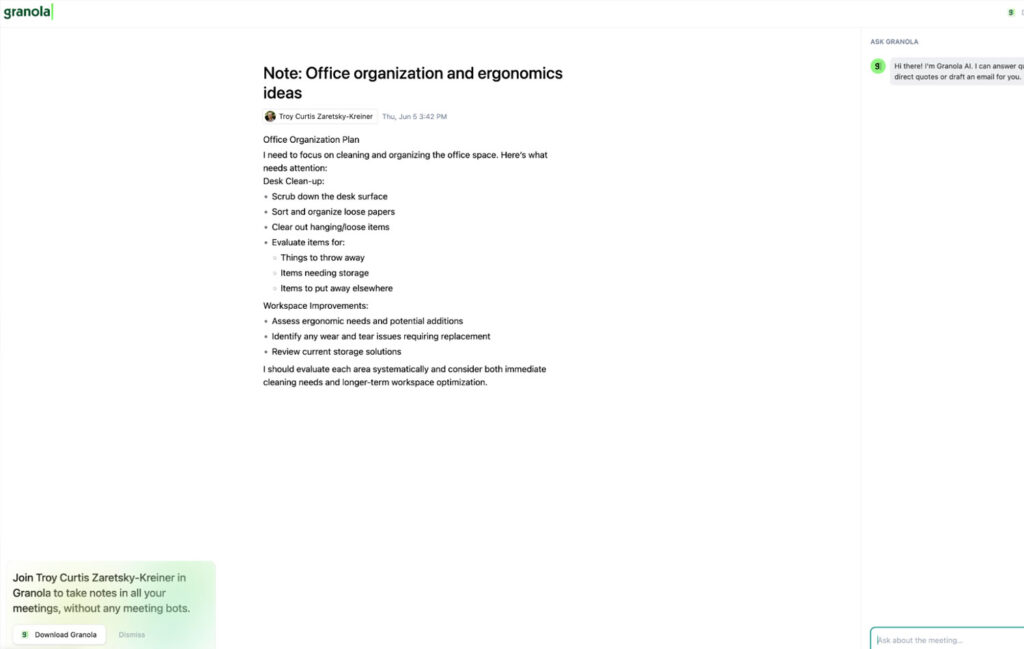
Granola’s pitch is simple: open a note, hit record, talk. The desktop app siphons audio directly from your mic and the call itself, so no virtual avatar pops into Zoom or Meet – colleagues never see a thing. While you type shorthand (“next steps → Levi”), Granola is busy transcribing with providers like Deepgram and Assembly; the moment the meeting ends it rewrites everything into readable paragraphs, fixes formatting, and labels decisions.
A built-in template system (think 1-on-1s, interviews, stand-ups) adds structure before or after the call, keeping recurring meetings comparable and searchable. Once the note looks good, a side-panel chat can draft a follow-up email or answer queries like “What did Chris promise?” – handy when you spaced out halfway through.
Privacy is surprisingly tight for a young SaaS: audio isn’t stored, notes live encrypted on AWS, and third-party LLMs aren’t allowed to train on your data; enterprise customers have model-training disabled by default. The pricing feels fair: free tier for 25 meetings, Individual at $18/month for unlimited personal use, Business at $14 per seat, plus an opt-out for model training on every plan.
Granola’s roadmap leans team-first. Version 2.0 turned every workspace into a searchable “second brain,” and a recent $43 million war chest suggests faster shipping on Windows and Outlook support. Power users – founders, project leads, anyone running nonstop calls – are the core audience, but solo freelancers will still value the quiet utility. Limitations include the hefty installer (my 5-10 min download on strong Wi-Fi) and a slightly clunky toggle between transcript view and AI chat, both areas the team says it’s refining.
The Pros and Cons of Granola
Granola nails the “invisible scribe” brief yet still has quirks around speed and navigation. Here’s the quick scorecard.
No-Bot Recording Keeps Meetings Distraction-Free
Templates Speed Up Repetitive Meeting Types
Opt-Out Model Training Protects Sensitive Data
Large Installer Can Stall First-Time Setup
Note-to-Chat Switch Feels Disjointed
Limited Platform Coverage Beyond macOS/iOS
Reviews of Granola.ai
There are no reviews yet. Be the first one to write one.
Similiar Apps
It is a long established fact that a reader will be distracted by the readable content of a page when looking at its layout.