CopyLeaks
Starting at Free trial, then $7.99 / month for 1,200 credits
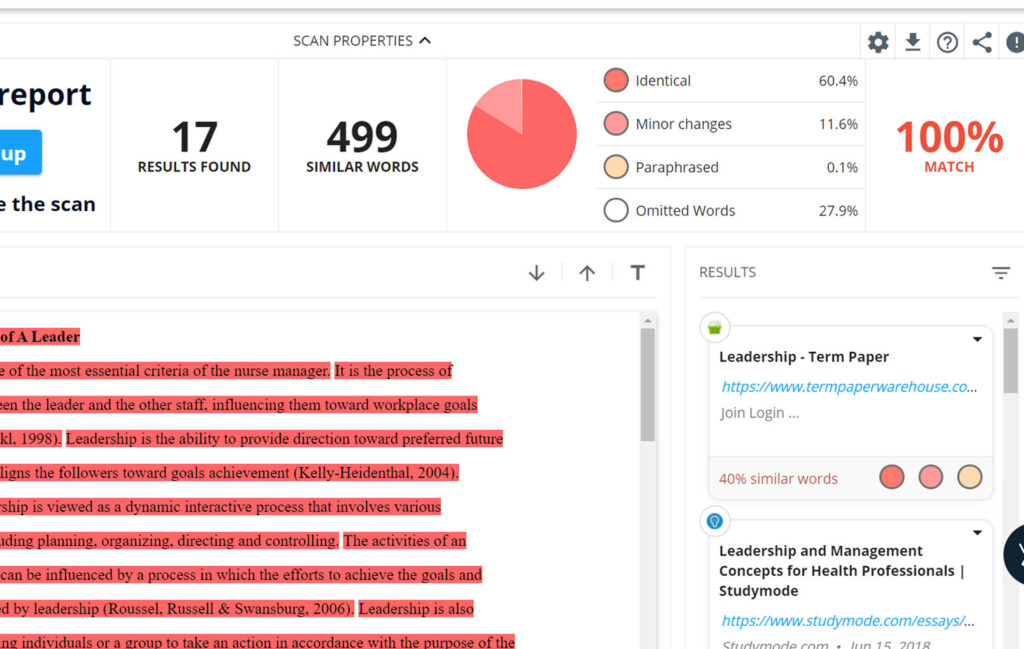
Copyleaks is the sleek “Turnitin-lite” of AI detectors: paste or upload, wait a heartbeat, and it spits out an “87 % AI” badge plus a few highlighted lines. The Chrome plug-in scans any webpage, and LMS/API hooks slide into existing workflows. Speed and a familiar percentage score make it great for quick gut checks, but polished human prose can trigger false alarms—and the tool rarely explains why. Read on if you value fast, user-friendly scans over courtroom-grade evidence.
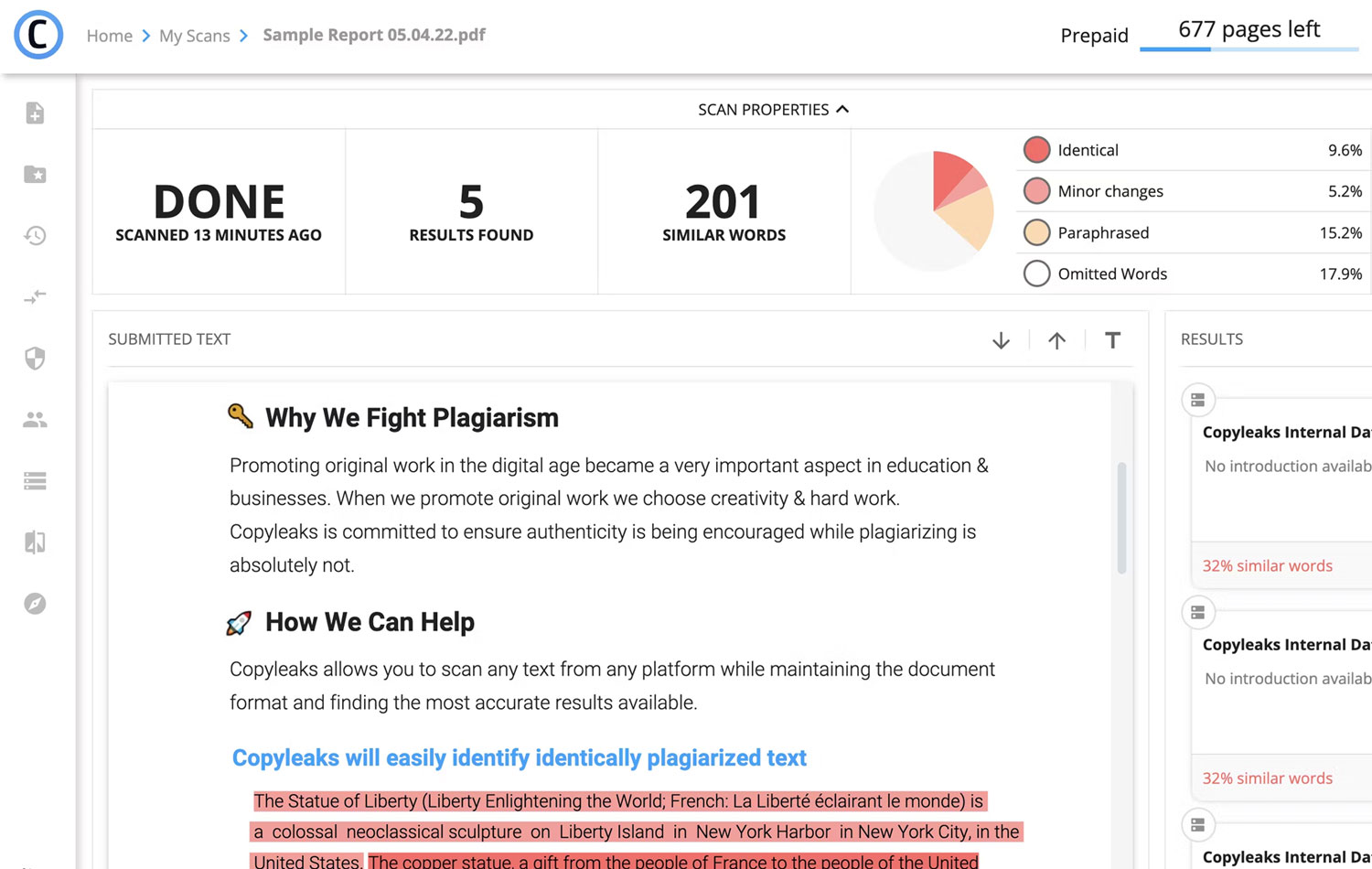
Web app, Chrome / Edge extension, REST API, LMS plug-ins
Percentage-Based AI Score
Chrome Extension for On-Page Scans
A Fast, Flashy Checker—But Shallow on Context
Copyleaks launched in 2015 as a plagiarism scanner and bolted on AI detection when ChatGPT went mainstream. The company claims “99 % accuracy across 30+ languages,” and its 2025 FAQ lists support for GPT-4, Gemini, Claude, Llama, and more. Using it is frictionless: drop text (or DOCX, PDF, PPT), hit Detect, and a score appears in seconds. Educators can push results straight into Canvas or Blackboard; developers tap the API for automated checks.
The headline metric—AI Score (%)—is intuitive, but depth is thin. Unlike Pangram’s confidence histograms or GPTZero’s sentence-level bars, Copyleaks offers high-level highlights only; no perplexity graphs, no “mixed” tagging. In practice, that leads to shakier trust: a brand blog post I wrote came back 76 % AI, while a ChatGPT essay registered 92 %, and a casual diary entry still showed 64 %. The pattern echoed Reddit anecdotes and third-party tests where Copyleaks trailed Originality.ai and Pangram in precision.
Pricing is credit-based: each credit scans 250 words, so the $7.99 starter plan handles roughly 300,000 characters a month—fine for light classroom use. But free trial credits vanish fast, and simultaneous plagiarism + AI scans require separate runs, doubling costs for thorough checks.
Road-map chatter points to deeper sentence-level detection and weather-resistant watermarking, but for now Copyleaks remains a rapid triage tool rather than a definitive arbiter. Writers seeking nuance, or teachers making high-stakes calls, should pair it with human judgment and a second opinion.
The Pros and Cons of CopyLeaks
Lightning speed and polished UI make Copyleaks handy for spot checks, yet accuracy hiccups and sparse explanations limit trust for serious enforcement.
Instant Percentage Score Gives Clear, Intuitive Snapshot of Suspect Text
Chrome Extension Lets Users Scan Any Webpage Without Leaving Browser Tab
Broad File Support and LMS / API Integrations Fit Into Existing Workflows
High False-Positive Rate Flags Polished Human Writing as “Suspiciously AI”
Surface-Level Highlights Provide Little Insight Into Why Text Was Flagged
Free Credits Exhaust Quickly, Forcing Early Upgrade or Pay-Per-Scan Charges
Reviews of CopyLeaks
There are no reviews yet. Be the first one to write one.
Similiar Apps
It is a long established fact that a reader will be distracted by the readable content of a page when looking at its layout.