

MacWhisper Review (2026)
The pay-once transcription workhorse
Top5Apps editorial · Last tested & updated September 3, 2026 · Reviewed under The Receipts Standard
Developer
Good Snooze
Free tier
Yes — core transcription free forever
Paid from
€64 one-time
Platforms
macOS
What is MacWhisper?
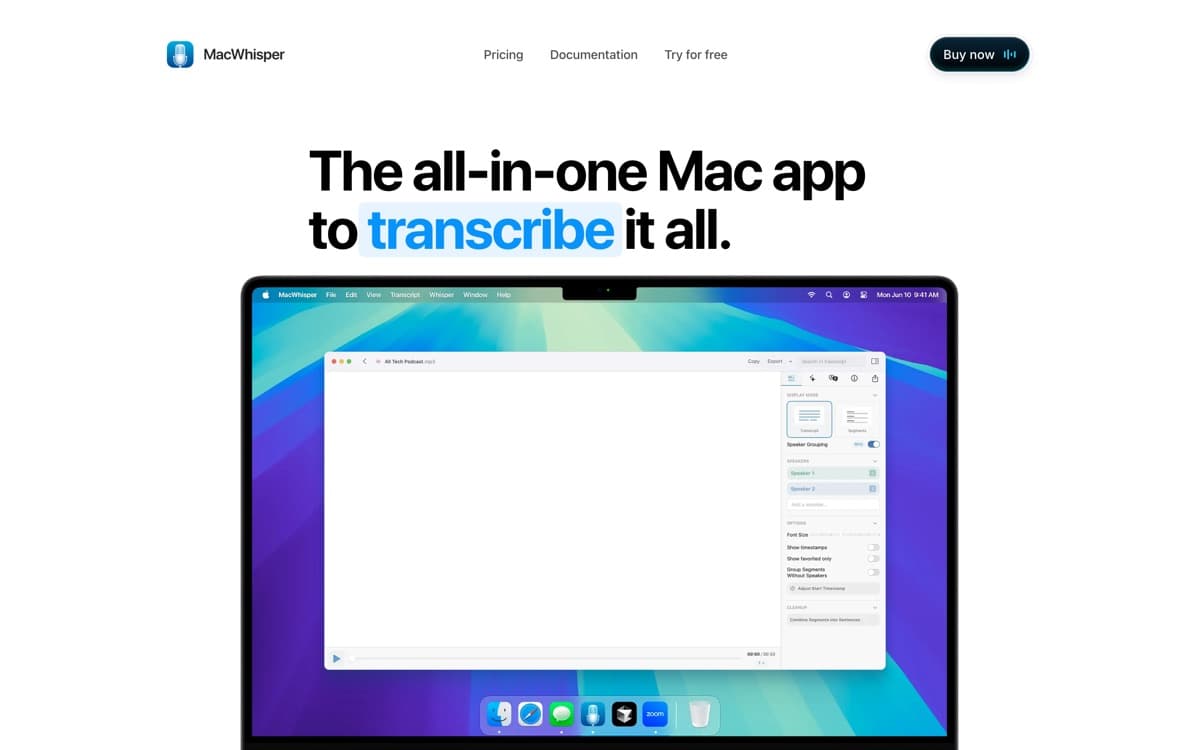
MacWhisper is the beloved indie tool of this category — the app podcasters, journalists, and researchers already owned before 'AI dictation' became a market. Built by Dutch indie developer Jordi Bruin on Whisper's open models, it does the unglamorous things brilliantly: drop in any audio or video file and get clean transcripts with speaker labels; record a Zoom or Teams call straight off system audio; export subtitles; and yes, dictate system-wide into any app. All of it can run entirely on your Mac.
What it isn't is a Wispr-style writing partner: dictation here is accurate transcription of what you said, not an AI rewrite into what you meant to type — there's no per-app tone matching, and cleanup means routing text through your own optional cloud models. But the value equation is unmatched: €64 once, lifetime updates, from a developer with years of shipping receipts. For Mac users who want ownership and privacy over polish, it's the easiest purchase on this page.
MacWhisper: pros and cons
Pros
- One-time €64 — no subscription, lifetime updates
- Fully local processing on your Mac; nothing leaves the machine
- Drag-and-drop file transcription plus system-wide dictation
- Records and transcribes Zoom/Teams/Webex/Discord calls with speaker labels
- Subtitle export (.srt/.vtt), 100+ languages, optional BYO cloud models
Cons
- Mac-only, truly — no Windows, no mobile beyond a companion app
- Transcription workbench first; everyday dictation lacks rivals' tone-matching
- Speed and accuracy scale with your Mac's hardware
Standout features
Pay once, own it
€64, done — against $96–180/year subscriptions everywhere else. The lifetime-value champion of the category alongside Superwhisper's lifetime tier.
The transcription workbench
Files, calls, batch jobs, speaker labels, subtitle export — capabilities the dictation-first rivals don't attempt. If your work involves other people's audio too, this covers both jobs.
Local by default
Whisper models running on your own silicon. Sensitive interviews and legal audio never touch a server unless you explicitly opt into cloud models.
MacWhisper pricing
Free includes core transcription forever — genuinely useful, not crippled. Pro is €64 one-time (displayed in euros; card processors handle conversion) with lifetime updates, unlocking dictation, call recording, batch processing, and BYO API keys for cloud models.
There is no subscription. In this category, that sentence is the pitch.
Our verdict
MacWhisper earns the fifth slot as the category's value-and-privacy anchor: a one-time purchase that covers transcription jobs the leaders ignore. If you want dictation that rewrites like a colleague, buy Wispr Flow; if you want a transcription multitool you'll own forever, buy this.
Skip it if: You're not on a Mac, or you want AI cleanup and tone-matching out of the box — MacWhisper transcribes what you said, faithfully, which is a different product than rewriting it.
4.2 / 5 — #5 in AI Dictation 2026
MacWhisper: FAQ
Is MacWhisper a subscription?
No — the core app is free, and Pro is a one-time €64 with lifetime updates. It's one of two ways to escape subscriptions in this category (Superwhisper's lifetime tier is the other).
Can MacWhisper transcribe meetings?
Yes — it records and transcribes Zoom, Teams, Webex, Skype, and Discord calls from system audio, with speaker labeling. No bot joins anything.
MacWhisper vs Superwhisper?
Both are local-first Mac tools. Superwhisper is dictation-first with AI cleanup modes and a subscription/lifetime choice; MacWhisper is transcription-first (files, calls, subtitles) with a flat one-time price. Heavy dictators pick Superwhisper; transcript wranglers pick MacWhisper.
Related rankings: best AI notetakers · best AI voice generators · best AI chatbots