

Cursor Review (2026)
The AI-native IDE that set the standard
Top5Apps editorial · Last tested & updated September 23, 2026 · Reviewed under The Receipts Standard
Developer
Anysphere (SpaceX)
Free tier
Yes — Hobby plan
Paid from
$20/mo
Platforms
Windows, macOS, Linux
What is Cursor?
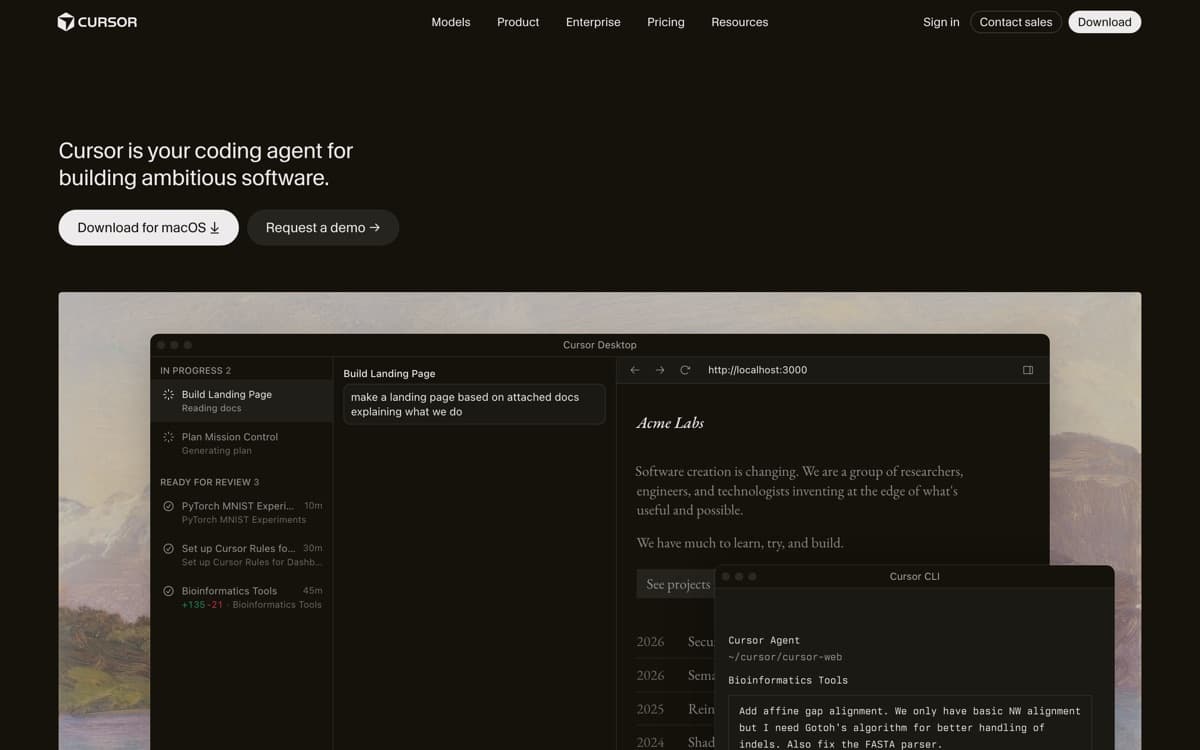
Cursor took the world's most popular editor, rebuilt it around AI, and became the fastest-growing developer tool in history — $2 billion in annualized revenue by February 2026, forecasting north of $6 billion by year-end. In 2026 it's the benchmark everything else gets compared to — and as of August 14, 2026, officially part of SpaceX, which closed its $60 billion all-stock acquisition and hands Cursor access to one of the world's largest GPU fleets. The magic is that it meets you at every level of trust: world-class tab completion when you're typing, inline edits when you highlight a block, and Composer — the agent — when you'd rather describe the feature and review the diff.
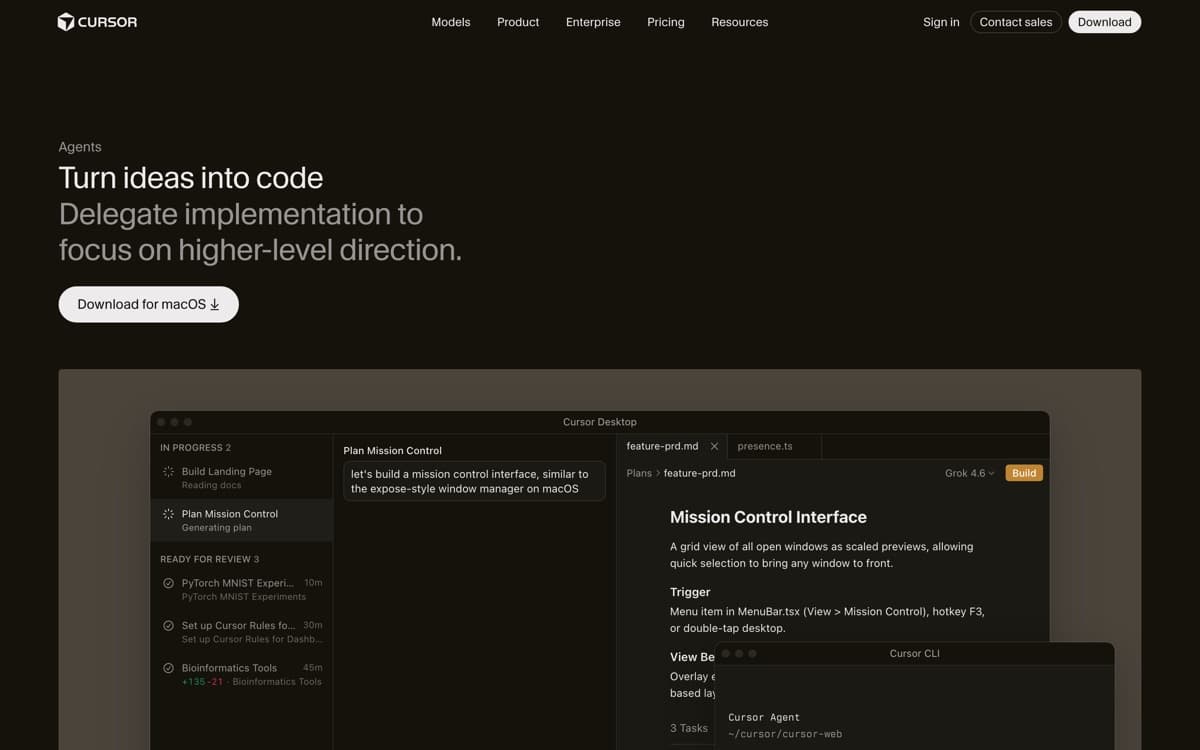
Composer is where Cursor earns its rank. Give it a ticket-sized task and it maps the codebase, plans, edits across files, and iterates against your linter and tests. The 2.0-era releases added parallel agents — run several attempts at a hard problem, keep the best — and a fast in-house model that makes routine agent work feel instant. It's not as autonomous as Claude Code on long-horizon tasks, but as a place where humans and agents share an editor all day, nothing else feels this polished.
And the ambitions no longer stop at the editor. Three days after the SpaceX deal closed, Cursor shipped Origin in early beta on all paid plans — a code-hosting platform it calls 'a git forge for the agentic era,' with two-way GitHub sync (GitHub stays the source of truth for synced repos), PR management inside Cursor, and Vercel preview deployments on every PR. The timing wrote its own pitch: Origin launched August 17, the same day GitHub went down worldwide for hours, Copilot included. Ten days later the loop closed: you can now start an app from scratch, store it on Origin, and deploy to Vercel without GitHub in the picture at all. The empire-building has a cost, though. On August 28, OpenAI announced it will wind down its Cursor contract — a proposed November 12 shutoff, with OpenAI's next models withheld immediately — citing its history with Musk-company contract disputes. Cursor's CEO says OpenAI models carry about 5% of Cursor's AI traffic and talks are ongoing, and Anthropic publicly moved to expand Claude capacity for Cursor. But the 'every frontier model in one editor' pitch now carries an asterisk, and we'll re-score if the model roster actually thins in November. The diversification is already visible: Claude Fable 5.1 landed in Cursor the day Anthropic shipped it — scoring 73.4% at max effort on Cursor's own CursorBench 3.2, the highest it has recorded — Gemini 3.8 Flash followed a day later, and new self-hosted machines let cloud agents execute on your own infrastructure (AWS Lambda, Cloudflare, Vercel, Modal, E2B, and more) or in team pools, with only the agent loop staying in Cursor's cloud. September deepened the bench again: Muse Spark 1.3 — 'Meta's flagship model and the first Meta model available in Cursor,' per Cursor's own docs — landed September 8, six days after Meta shipped it ($1.25/$4.25 per MTok, 300K context), and Cursor now appears on Anthropic's Claude Marketplace, where enterprises can buy it against an existing Anthropic spend commitment. The roster is filling faster than the OpenAI seats empty.
Cursor: pros and cons
Pros
- Composer agent handles multi-file features with impressive planning
- The best tab-completion in the business — it predicts your next edit, not just your next token
- Multi-agent mode runs parallel attempts and lets you pick the winner
- Full VS Code compatibility: your extensions, keybindings, and themes just work
- Model flexibility — route work to Anthropic, OpenAI, Google, Cursor's own models, or Grok (4.7 shipped to every Cursor plan on launch day, with an exclusive 2x-speed Fast variant)
Cons
- OpenAI is pulling its models — a proposed November 12, 2026 cutoff follows the SpaceX acquisition
- Usage-based pricing beyond the included quota confuses nearly everyone
- Heavy agent use gets expensive fast on frontier models
- As a VS Code fork, it inherits upstream churn and occasional extension breakage
Standout features
Composer agent
Describe the change; Cursor plans it, edits every affected file, runs checks, and presents a reviewable diff. It's the feature that redefined what 'code editor' means — and it keeps getting faster and more parallel.
Cursor Tab
Completion that predicts your next edit across the file — rename here, update the call site there. Developers describe it as reading their mind; it's the stickiest feature once you've acclimated.
Bring-your-own-model flexibility
Switch between Claude, GPT, Gemini, Grok, and Cursor's own models per task. When one lab ships a better coder, you benefit the same week — Grok 4.7 was in the picker on every plan the day SpaceXAI released it, with a Cursor-only 'Fast' variant at twice the speed and twice the token price, and Claude Opus 5.5 landed at $4/$20 the day after — no platform lock-in.
Cursor pricing
Hobby (free) includes limited agent use and completions — enough to learn the workflow. Pro at $20/month includes a healthy usage quota with all frontier models; Pro+ ($60) and Ultra ($200) multiply the quota for heavy agent users. Beyond quotas, usage bills at API-ish rates, which is where bills surprise people.
Teams pay $40/user/month with admin controls and pooled analytics. Our advice: start on Pro, watch the usage meter for a month, and only then decide if you're an Ultra person.
Our verdict
Cursor is the default recommendation for professional developers in 2026: the best blend of hands-on editing and hands-off agents, with model freedom as insurance. Pair it with Claude Code for the longest autonomous tasks and you have the toolkit most top startups actually run.
Skip it if: You won't watch a usage meter — costs balloon quietly on frontier models — or your team's real need is GitHub-native review and rollout, where Copilot fits with zero friction.
4.8 / 5 — #1 in AI Code Editors 2026
Cursor: FAQ
Is Cursor worth $20/month over GitHub Copilot?
If you want agents that complete multi-file tasks, yes — Cursor's Composer and Tab are a tier above Copilot's equivalents in our testing. If you mostly want great autocomplete inside your existing setup, Copilot at $10 is the value play.
Does Cursor work with my VS Code extensions?
Almost all of them — it's a VS Code fork and imports your settings, themes, and extensions on first launch. A small number of Microsoft-proprietary extensions are restricted.
Which model should I use in Cursor?
Cursor's own fast model for routine agent tasks, and Claude's latest coding model for hard refactors — that combination wins on speed-per-dollar for most teams. You can switch per request.
Head-to-head: Cursor vs Claude Code
Related rankings: best AI chatbots · best open-source AI models · best mcp servers