
Signals
What Is Claude Code's Code Mode? How to Turn It On, What It Changes About Permissions, Where It Doesn't Work Yet, and Whether It Saves Time
By the Top5Apps editorial team · Published November 15, 2026 · Updated November 15, 2026 · 18 min read
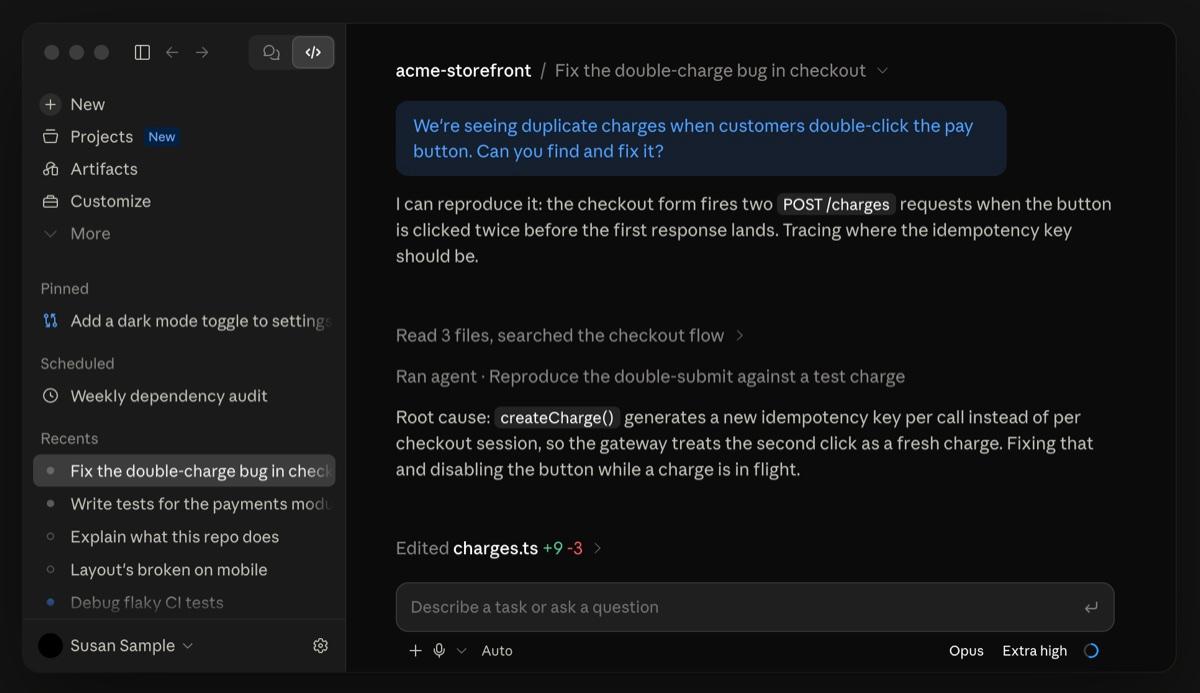
Short answer: Code Mode is an experimental setting in Claude Code that changes how Claude uses its tools. Claude normally asks for one tool call, reads the result and then decides on the next. With Code Mode on, Claude writes a short JavaScript script that makes several calls in one step and returns only the part of the output it needs to read. Anthropic added it in version 2.1.323 on November 12, 2026. It's off by default, it works only in an interactive terminal session, and you turn it on with one environment variable.
(Disclosure, per The Receipts Standard: this site is produced with Claude-family tools, including Claude Code, the product this post covers. We haven't run Code Mode ourselves yet. The setup we use to produce the site is one of the places where Anthropic's documentation says Code Mode doesn't work.)
A thread about the feature passed 196,000 views on X in about 12 hours this weekend. We read Anthropic's changelog and documentation in full, verified the posts, checked the build on our own machine, and compared the design with three rival coding agents using their public source code.
The short version
- It's real and it's documented. The changelog entry for version 2.1.323 calls it 'an experimental opt-in in which Claude writes JavaScript to call its tools.'
- One variable turns it on. You set CLAUDE_CODE_EXPERIMENTAL_CODE_MODE to 1, start Claude Code in a terminal, and confirm once.
- It works in one place. The documentation excludes the Desktop app, the VS Code panel, the Agent SDK, cloud sessions and the -p flag, along with Amazon Bedrock, Google Cloud and Microsoft Foundry.
- Permissions change in auto mode. The safety classifier reviews each script before it runs. It no longer reviews each tool call, and it can't see values the script works out as it runs.
- The early evidence is about tokens. Two small outside tests measured 37% to 55% fewer tokens. Neither found a speed gain, and one run was slower.
- Anthropic has published no number for it. The documentation makes no speed or savings claim.
- Claude Code is late to this. OpenAI's Codex, OpenCode and Pi all shipped a version earlier in 2026, and Cloudflare named the idea in September 2025.
What Anthropic shipped, and when
Claude Code's changelog lists Code Mode under version 2.1.323, dated November 12, 2026. The entry reads: 'Added Code Mode, an experimental opt-in in which Claude writes JavaScript to call its tools.' Version 2.1.325 followed a day later and fixed three Code Mode bugs.
- Scripts wrote to the wrong place. They ignored a separate working copy the session had switched into, and they wrote paths that begin with a tilde into the project folder.
- Typed answers went missing. Words you typed alongside a Yes at a permission prompt didn't reach Claude.
- Resumed sessions started working unprompted. A session that ended in the middle of a script would start work by itself when you resumed it. It now waits for your next prompt.
Those fixes are a fair picture of how new the feature is. Anthropic's documentation says Code Mode 'may change or be removed in any release.'
We found no launch post from Anthropic. Developers spread the news instead. Pedro G described it on the morning of November 14, and his post reached about 73,000 views. Daniel San's thread went up that evening and had 196,505 views and 1,702 likes when we checked on the morning of November 15.
Daniel San@dani_avila7 · Nov 14, 6:15 pm PT
Code Mode is now available experimentally in Claude Code 2.1.325 […] Instead of calling tools one by one, Claude writes JavaScript to execute multiple tool calls in a single step
View original post ↗
One detail in that post needs a small correction. Code Mode arrived in version 2.1.323, two releases before the one the post names, and 2.1.323 is the minimum version Anthropic's documentation gives. The rest of the description matches the documentation.
How Code Mode works
Claude Code gives Claude a set of tools. Bash runs a shell command, Read opens a file, Edit changes one, and there are others for searching and for connected services. Without Code Mode, Claude asks for a tool call, Claude Code runs it, and the full result goes back to Claude, which reads it and decides what to do next. Every one of those round trips is a model turn.
With Code Mode on, Claude writes a piece of JavaScript that makes the tool calls, and Claude Code runs it. Anthropic's documentation says one piece of code can 'run commands in parallel, use one result in the next call, and return the part of the output that Claude needs to read.'
A plain comparison helps here. You can run ten errands one at a time and come home after each one to decide on the next, or you can write a list and do them all in one trip. Code Mode lets Claude write the list. The list can also carry instructions that depend on what happens along the way, such as which file to edit once a search has found it.
Anthropic's documentation gives this example. You ask Claude to raise a retry limit, and Claude writes four lines.
Anthropic's example script, from the Code Mode documentation
const files = await $`rg -l "function retryPolicy" src`.text();
const target = files.trim().split("\n")[0];
await edit(target, "maxAttempts: 3", "maxAttempts: 5");
({ edited: target, tests: $`npm test -- retryPolicy`.nothrow() });- Line 1 searches. It looks through the src folder for the file that defines the retry policy.
- Line 2 picks the first match. The full search output stays inside the script.
- Line 3 edits that file. It changes the limit from 3 to 5.
- Line 4 runs the tests and reports back. Claude receives two things: the name of the file that changed and the test output.
By our count, the same job without Code Mode takes at least three round trips: a search, an edit and a test run. The script does it in one.
You don't see the script in the conversation. The documentation says you see the tool calls, such as the edit's diff. To read the code, you press Ctrl+O to open the transcript viewer, where each script appears as a collapsed row labeled Code.
Claude could already run tools in parallel. What does a script add?
A reply under the viral thread asked exactly this, and it's the right question. Anthropic's API documentation says that by default Claude 'may call multiple tools in a single response.'
Parallel calls have one limit. Claude has to choose all of them before it sees any result, so they must be independent of each other. A script removes that limit in two ways.
- Chaining. A script can feed the result of one call into the next, as the example does when it edits the file the search found. Parallel calls can't do that without a model turn in between.
- Filtering. A script can cut a result down before Claude reads it. A search that returns 4,000 lines can go back to Claude as the 12 that matter. With ordinary tool calls, the whole result lands in Claude's context and counts against it.
The figures of 4,000 and 12 are ours, chosen to show the idea. Anthropic's documentation gives no numbers for Code Mode.
How to turn on Code Mode
These steps follow Anthropic's documentation. You need Claude Code in a terminal, since Code Mode doesn't run anywhere else yet.
1. Check your version
Check the version, and update if it's older than 2.1.323
claude --version
claude update
The documentation says that if you're on the stable release channel and the update stops short of 2.1.323, you can wait for stable to catch up or switch to the latest channel.
2. Start Claude Code with the variable set
macOS, Linux and WSL
CLAUDE_CODE_EXPERIMENTAL_CODE_MODE=1 claudeWindows PowerShell
$env:CLAUDE_CODE_EXPERIMENTAL_CODE_MODE = "1"
claude
That turns it on for one session. To turn it on for every new session, save the variable in your user settings file at ~/.claude/settings.json.
~/.claude/settings.json
{
  "env": {
    "CLAUDE_CODE_EXPERIMENTAL_CODE_MODE": "1"
  }
}
3. Confirm
Claude Code asks you to confirm before your first Code Mode session. You select 'Yes, turn on Code Mode,' Claude Code restarts, and this line appears near the top of the session.
What a working Code Mode session shows
Code Mode (experimental) is on · this session can be resumed only with Code Mode onIf you see 'Code Mode (experimental) isn't available' instead, the reason follows on the same line. The documentation has a table of twelve reasons and the fix for each.
4. Give it a task with many tool calls
Anthropic suggests this prompt, in a project you know well.
Anthropic's suggested first prompt
Read every Markdown file in this project and list the links that point to local files that don't exist.Then press Ctrl+O and expand a Code row to read the JavaScript Claude wrote.
Turning it off, and blocking it
- To turn it off, remove the variable from your shell and your settings file, or change its value to 0, and start a new session. A 0 in one place keeps Code Mode off even if the other place says 1.
- A project can't turn it on for you. Claude Code ignores this variable in a project's settings files. The documentation gives the reason: 'a repository you clone can't turn on Code Mode for you.'
- An administrator can block it. Setting the variable to 0 in an organization's managed settings stops everyone in it from using Code Mode. Administrators can't force it on from managed settings.
The viral thread also recommends a third-party package that writes the setting for you. The setting is one line, so we'd add it by hand. We covered a tampered Claude Code extension two weeks ago, and it's a good reason to keep extra installers away from your coding agent's settings.
Where it works and where it doesn't
Code Mode has a long list of requirements for an experimental switch. All seven come from the requirements section of Anthropic's documentation.
| Requirement | What Anthropic's documentation says |
|---|---|
| Version | Claude Code 2.1.323 or later, on either release channel |
| Account | A Claude subscription or a Console account. Gateways, Amazon Bedrock, Claude Platform on AWS, Google Cloud's Agent Platform and Microsoft Foundry are excluded. |
| Organization | Unavailable to organizations that use the HIPAA configuration or zero data retention |
| Model | Claude Opus 5.5, Sonnet 5.5, Haiku 5.5 or Fable 5.2 |
| Surface | An interactive session in a terminal. It doesn't work with the -p flag, the Agent SDK, the VS Code panel, the Desktop app or cloud sessions. |
| Installation | The native build of Claude Code |
| Windows | Git for Windows must be installed |
Some ordinary settings also stop Code Mode from starting. The documentation names an API key helper, agent teams, OpenTelemetry export, the DISABLE_TELEMETRY variable, and an installed mod that checks tool calls.
Access may also be staged. One of the listed failure reasons reads 'it isn't open to your account yet,' and the documented fix ends with 'try again another day.' We read that as a gradual rollout by account. The documentation doesn't say how many accounts have it.
What you give up while it's on
- Resuming elsewhere. You can resume a Code Mode session only in the terminal, with Code Mode on. Claude Code refuses to resume it with Code Mode off.
- Three features. Remote Control, Claude in Chrome and computer use are unavailable in a Code Mode session.
- Moving the session. You can't move it to the Desktop app or turn it into a background session.
- Long scripts, in most modes. When Claude waits for a script, the script stops after ten minutes, and time you spend at permission prompts counts toward the ten. Scripts can run in the background for up to two hours, and only in sessions started in auto mode or with permissions bypassed.
- Forgiving hooks. A hook that checks tool calls and then fails or times out now refuses the call. More on that in the next section.
What changes about permissions
This is the section to read before you turn Code Mode on at work. Pedro G called one sentence in the documentation 'worth reading twice,' and we agree with him.
- Your rules and hooks still see every call. The documentation says 'each tool call that Claude's code makes goes through your deny and ask permission rules and your PreToolUse hooks.' You don't have to rewrite a rule for it.
- In auto mode, the classifier reviews the script. Auto mode uses a second model, called the classifier, to approve actions in your place. In Code Mode it 'reviews each piece of code before it runs, not each tool call.'
- The classifier can't see values the script works out as it runs. The documentation's example is 'a path taken from search output.' Its advice follows directly: 'keep rules or hooks for calls you must control.'
- In the other modes, you still get prompts. The script starts without a review, and you're asked about each tool call that would have prompted you anyway.
The auto mode point reaches most people who try this. Anthropic's permission modes page says auto has been the built-in default for terminal sessions since version 2.1.283. A person who sets the variable and changes nothing else will be in auto mode, with the classifier reading scripts.
Two smaller changes matter to teams that already run hooks.
- Hooks fail closed. If a PreToolUse hook can't start, is killed or times out on a call from Claude's code, the call is refused, even if you never set that hook to block on failure.
- You can inspect the script itself. The tool that runs Claude's code is named REPL. A PreToolUse hook that matches REPL can read the JavaScript before it runs.
Where the script runs
The documentation says only that 'Claude Code runs that code in your session.' It doesn't describe a separate container. Developer Rhys Sullivan posted that the script runs inside the Claude Code process itself, using Node's built-in vm module on the Bun runtime.
We checked the 2.1.325 build on our own machine. It's a Bun executable, it loads the vm module, and it contains an error message that begins 'Refusing to make a node:vm context.' That's consistent with Sullivan's description. Anthropic hasn't published the design, so treat it as a finding from the shipped program that could change in any release.
The practical meaning is simple. A script reaches your files and your shell through the same tools Claude already had, under the same rules and hooks. Code Mode adds no new wall around it. The documentation repeats a warning that applies in both modes: Bash rules match the text of a command, so a command you've denied can sometimes run in a form the rule doesn't match. For limits that don't depend on command text, it points to Claude Code's sandbox.
Does it save time? What the first tests show
Anthropic's documentation makes no speed or token claim for Code Mode, and we found no figure from Anthropic staff. The evidence so far is three small tests by outside developers and one skeptical reply. They point the same way: Code Mode saves tokens, and it hasn't yet been shown to save time.
- The viral test had no baseline. Daniel San ran Anthropic's own suggested prompt in a demo folder. Claude made 13 tool calls in 2 model turns and found all 3 broken links. He didn't post a run with Code Mode off, a time or a token count.
- One blog test saved tokens and lost time. Juan Andrés Núñez ran one task each way on Opus 5.5 on November 13. Total input tokens fell from 150,364 to 94,659, which is 37% fewer by our arithmetic. The run with Code Mode took 37 seconds against 15 without it. He wrote that one run each 'is not a benchmark.'
- One eight-run test saved more on a long task. A developer posting as @kairofeed reported about 40% fewer tokens on short tasks and 55% fewer on a 30-file refactor, at the same speed, on Sonnet 5.5. The account is tiny and the logs aren't public, so we're passing this on as a self-reported result.
- One tester saw no difference. A reply under the viral thread said 30 minutes of testing with Fable 5.2 gave the same results with and without Code Mode. It gave no numbers.
The two tests with numbers agree on something the viral framing misses. Most of the saving came from a smaller tool list, and batching came second. Núñez found that both of his runs made the same four requests to the model. He reports that in Code Mode the model receives two tools, and the rest are described inside one of them in a shorter form. His session's own context readout showed the tool definitions shrinking from 24,600 tokens to 11,100.
That reduction applies to every request in a session, whatever the task. Fewer round trips then add to it on long jobs. In the @kairofeed test, the long refactor took six requests with Code Mode and nine without. If you're new to tokens, they're the units a model reads and writes, and they're what plan limits and API bills count. Our token counter shows how text converts.
Anthropic's numbers for the same idea in its API
Anthropic has measured this technique carefully in a different product. Its API has a stable feature called programmatic tool calling, in which Claude writes code that calls a developer's tools inside a container on Anthropic's servers. The figures below are for that feature. We include them because they show which kinds of task gain and which don't.
- Many tools, many calls: a clear gain. On a benchmark of a project-management agent with 75 tools, billed input tokens fell by about 38% with no change in accuracy.
- Web research: a gain in both directions. Adding it to search tools improved results by an average of 11% while using 24% fewer input tokens.
- Production traffic: 20% to 40%. Requests carrying 10 to 49 tool definitions typically saved that much.
- One or two calls per turn: a small loss. On a customer-service benchmark where each turn makes one or two calls in sequence, scores didn't change and the cost rose by about 8%. Anthropic's own summary is 'sequential single-call workflows do not benefit.'
Anthropic's documentation for Code Mode lists the task types to try, and they match that pattern: a change that repeats across many files, a search whose results need filtering before Claude reads them, and several independent commands that can run at the same time.
One question came up again and again in the replies, and the documentation doesn't answer it: what happens when the third step of a script fails? The documentation covers calls refused by a hook. It doesn't describe how a half-finished script reports back or whether Claude retries all of it. That's the first thing we'd test.
Where the idea comes from, and who else has it
Anthropic didn't invent the name. Cloudflare published a post called 'Code Mode' on September 26, 2025, with the claim that models 'are better at writing code to call MCP, than at calling MCP directly.' MCP is the standard that connects AI apps to outside tools, and we rank the servers worth installing.
Anthropic followed on November 4, 2025 with an engineering post that credited Cloudflare and gave one worked example in which token use fell from 150,000 to 2,000. On November 24 it added the technique to its API in beta, reporting an average drop from 43,588 to 27,297 tokens on complex research tasks. In February 2026, Cloudflare reported that the approach let an agent use its entire API for about 1,000 tokens, where a conventional server would have needed 1.17 million.
Coding agents picked it up through 2026. Claude Code is the fourth of the four we checked to ship it.
| Agent | When it arrived | Where the script runs | Status today |
|---|---|---|---|
| OpenAI Codex CLI | March 10, 2026, moved to the V8 engine on March 21 | Google's V8 JavaScript engine with its sandbox feature on, in a separate host process | OpenAI's config reference says 'under development and off by default' |
| OpenCode | July 3, 2026 | Its own interpreter for a JavaScript-like language, which runs only the features its authors wrote | On by default for connected MCP servers |
| Pi | September 29, 2026 | A QuickJS sandbox with no file system, network or timers | Opt-in |
| Claude Code | November 12, 2026 | Inside the Claude Code process, using Node's vm module, by a developer's account and our own check | Experimental, off by default |
Two notes on that table. Codex's public repository sets its newer GPT models to a tool setting named code_mode_only, which suggests Codex already uses this approach by default on those models. That's our reading of the source code, and OpenAI's documentation doesn't say it. Rhys Sullivan, whose post compared the four designs, builds an integrations product for AI agents and has contributed a fix to OpenCode's Code Mode, so he knows the subject and also works in the field he's describing.
The four designs differ most in how much they wall off the script. Pi's sandbox can't touch files at all and reaches them only through Pi's tools. OpenCode avoids running real JavaScript. Codex turns on V8's sandbox and uses a separate process. Claude Code relies on its existing permission rules, hooks and optional sandbox. Each choice is defensible, and they put the safety boundary in different places.
Who should turn it on, and who should wait
Turn it on if
- You work in the terminal on a Claude subscription or a Console account. Those are the only setups it supports.
- Your sessions run long and hit limits. The early tests suggest a smaller context on every request, and long sessions gain the most from that.
- Your tasks repeat. The same edit across dozens of files, or searches that return far more than you need, are the cases Anthropic names.
- You already have deny rules or hooks on the calls that matter. They keep working, and they're the control the documentation tells you to rely on.
Wait if
- You rely on auto mode's call-by-call review. In Code Mode the classifier reads the script and can't see values worked out as it runs.
- You use Remote Control, Claude in Chrome, computer use, the Desktop app, the VS Code panel or background sessions. None of them work with it yet. Requests for Agent SDK and Remote Control support are open on GitHub.
- You reach Claude through Amazon Bedrock, Google Cloud, Microsoft Foundry or a gateway. Code Mode works only on Anthropic's own API.
- Your organization uses the HIPAA configuration or zero data retention. Both are excluded.
- Speed is your only goal. No test so far shows Code Mode finishing sooner, and one shows it finishing later.
If you want one model for the experiment, the documentation lists four that work, and the first tests used three of them. Our ranking of AI coding tools covers how Claude Code compares with its rivals more broadly.
How to test it fairly on your own project
A single run tells you little, because the same prompt can take a different route each time. This is the method we'll use, and it takes about half an hour.
- Pick a task with many related tool calls. Anthropic's broken-links prompt works, and so does a rename across many files.
- Start both runs from the same files. Commit your work first, and reset the project between runs.
- Run it in a fresh session with Code Mode off. Note the wall-clock time. Then open /usage, whose Session block shows the session's token use according to Anthropic's cost documentation, and write the figures down.
- Count the model turns. Press Ctrl+O. The transcript viewer puts a timestamp on each assistant message.
- Repeat in a fresh session with Code Mode on. Keep the model, the prompt and the permission mode the same.
- Do each at least three times. Compare the averages.
- Check the answer. A run that finishes sooner with a wrong result hasn't saved anything.
We haven't run this yet, for the reason given at the top. We'll add our results to this post when we have them.
Our read
Code Mode is a sensible change that the rest of the field made first. Letting a model write a small program is a better fit for repetitive work than asking it to press one button at a time, and Anthropic has said as much in its own engineering posts since late 2025. The surprise is that Claude Code took a year to get it.
The viral description undersells one part and oversells another. The claim that it runs tool calls in one step is accurate. The early tests suggest the bigger effect is a smaller tool list on every request, which saves tokens on tasks that never batch anything. Nobody has yet shown that it makes Claude Code finish sooner.
The permission change deserves more attention than it got. Auto mode is now the default in the terminal, and in Code Mode its classifier approves a script without seeing the values that script will work out as it runs. Anthropic says so plainly and tells you to keep rules and hooks on anything you must control. Teams should set those rules up before they turn Code Mode on.
Our advice is to try it on a personal project this week if you live in the terminal, and to hold off at work until it supports the surfaces your team uses and somebody has measured it on your kind of task. We'll run our own timed test and add the results here.
Where these apps rank