
Guides
How Do You Make an AI Video That Looks Like The Office? The Jensen Huang Parody, the Tool Its Maker Named, and Why the Format Keeps Going Viral
By the Top5Apps editorial team · Published November 14, 2026 · Updated November 14, 2026 · 20 min read
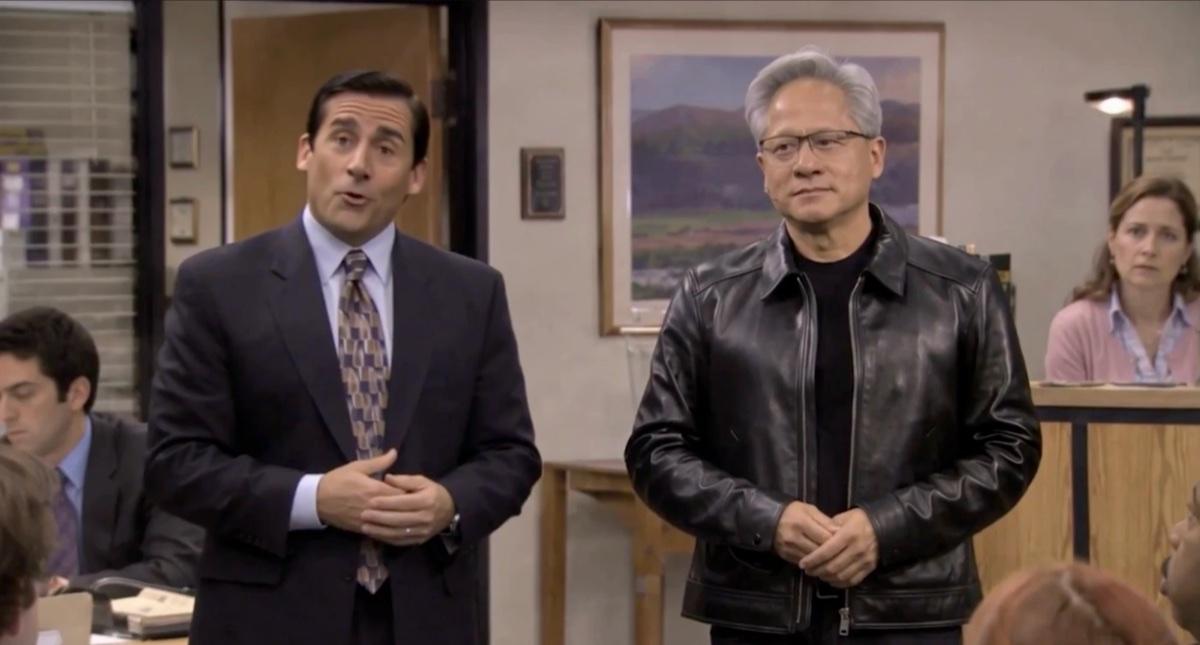
Short answer: you write a script of short beats, generate each beat as a clip of 5 to 15 seconds with a video model that produces lip-synced speech and accepts reference images, and cut the clips together with captions. The maker of this week's viral example says he used a model called MiniMax H3 and spent about two hours. The format does well for two reasons. Viewers and AI models both already know the show, and half of a mockumentary is one person sitting still and talking, which is the shot AI video handles best.
The example is a 2-minute-34-second parody of The Office in which Michael Scott welcomes Jensen Huang as Dunder Mifflin's newest employee. It went up on X hours after Nvidia announced Huang's resignation, and it had 6.05 million views when we checked on November 14. We verified the post, read the maker's replies, cut the video into shots, and checked the news, the tools and the law against primary sources. We haven't made a video with this method ourselves.
The short version
- The maker named his tool. Christian Moss, who posts as @MandelDuck, said in his replies that he used MiniMax H3 on fal.ai, that a 15-second clip takes 22 seconds to generate, and that the whole video took about two hours.
- The video is mostly interviews. Five talking heads make up 47% of the runtime. The longest unbroken shot lasts 15 seconds, which is the model's limit for one request.
- Speed did a lot of the work. The video was posted 2 hours and 26 minutes after Nvidia's filing appeared in the SEC's database.
- The Office is a proven template. Five other AI Office parodies reached between 2.4 million and 16 million views on X this year.
- The format suits the tools. Short shots, a shaky camera and seated interviews all cover for things AI video does badly. That part is our inference, and we say so below.
- The rights picture is unsettled. NBCUniversal's studio is suing MiniMax, the company that made the model. No federal law on AI likenesses has passed, and we found no takedown of any Office parody.
- You can make the format without the likenesses. A documentary camera style is a technique that anyone can use. The steps below use original characters.
The video, and the news it was made for
The clip runs 2 minutes 34 seconds. Michael Scott announces that Dunder Mifflin is becoming 'an AI-first company' and introduces a new hire in a black leather jacket, whom the captions name as Jensen Huang. Coworkers gossip in talking-head interviews, a manager calls an emergency meeting, the new hire is fired inside his first 30 days, and the last scene finds him working a Denny's drive-thru window.
Christian Moss@MandelDuck · Nov 12, 8:18 am PT
The Office AI: Jensen Huang gets a new job at Dunder Mifflin WATCH TILL THE END! like, repost and subscribe for more AI comedy videos
View original post ↗
The timing explains most of the reach. Nvidia's filing with the SEC says the board accepted Huang's resignation as president, chief executive and board member on November 11, effective immediately, and Nvidia's announcement followed on the morning of November 12. The filing reached the SEC's public database at 8:52 am Eastern. The video went up at 11:18 am Eastern, 2 hours and 26 minutes later.
Nvidia's filing gives no reason for the resignation. The Associated Press reported that it followed a company investigation into Huang's personal relationships, and that Huang apologized to employees in a November 8 email. The video's jokes about an 'HR nightmare' and an office romance draw on that reporting. They're jokes, and nothing in the video is a claim about what happened.
The tracker note we started from got two details wrong, and both corrections matter for this guide.
- The video came hours after the news, and the note said days. The post went up the same morning as Nvidia's announcement. Speed is a large part of why it travelled.
- The maker did say which tool he used. The note said the tools weren't disclosed. The caption doesn't name them, and the maker answered the question twice in the replies.
The maker is Christian Moss, a game developer in Tokyo who runs a two-person outfit called Mandelduck Studios. His account had about 16,300 followers when we checked, and the post had 6.05 million views, 13,243 likes and 1,501 reposts on the afternoon of November 14. A repost by the account Autism Capital added another 2.5 million views.
Moss had practice. His studio's site lists 11 episodes of an AI Seinfeld parody, and one of them passed 1.3 million views in September. He began an Office series on November 9 with an episode about Bitcoin that reached about 417,000 views. The Huang episode came three days later, and a third episode about a Microsoft outage reached 3.1 million views a day after that.
Moss explained the jump himself in a reply. He and his brother had worked out that Seinfeld plus Bitcoin is a niche subject, that The Office plus Bitcoin is less of one, and that The Office without Bitcoin is no niche at all.
How the maker says he made it
Moss hasn't published a full workflow. On November 13 he said that workflow tips would go to his paying subscribers on X. His public replies under the video still give four hard facts, and each one links to the reply it comes from.
- The model is MiniMax H3. A viewer asked what the video was made with, and Moss answered 'Minimax h3.' He gave the same answer to a second viewer who guessed a different model.
- He ran it on fal.ai. Moss wrote that a 15-second clip takes 22 seconds to generate there.
- The whole video took about two hours. He described that as a rough figure, because he was working on it between other things.
- Many clips failed. In the same reply he said the clips 'often come out wrong.' When a viewer pointed out that the drive-thru scene looked off, Moss replied that he ran out of time and gave up on fixing it.
MiniMax H3 is a video model from the Chinese company MiniMax, which also makes the Hailuo video app. We covered it in October, when another maker used it to put tech CEOs into a music video. The version Moss used is the hosted one. fal.ai's page for the model lists what a single request can do.
| Setting | What fal.ai lists for MiniMax H3 reference-to-video |
|---|---|
| Clip length | 5 to 15 seconds per request |
| Reference images | Up to 9, for the people and the look |
| Reference videos | Up to 3 clips, 15 seconds combined, for motion |
| Reference audio | Up to 3 clips, 15 seconds combined |
| Total reference files | 12 at most |
| Resolution | 480p and 768p are generated directly. 2K and 4K are upscaled from 768p. |
| Price | $0.06 per second at 768p, $0.13 per second at 2K |
| Tags | fal.ai tags the model for lip sync |
Those limits show up in the finished video. The longest unbroken shot in it runs 15.08 seconds, which is the model's ceiling for one request. The closing monologue lasts 20 seconds, and it turns out to be two clips of about 10 seconds each, joined at a cut that's easy to miss. The opening monologue is two clips as well. The maker hid that join by cutting to a tighter framing of the same shot, which reads as a camera zoom.
The price list also allows a rough budget. The finished video is 154 seconds long, so the clips that made the final cut would cost about $20 at 2K, or about $9 at 768p. Moss said many clips came out wrong, so his real spend was some multiple of that. The multiple is our guess, and a realistic total sits somewhere between $30 and $100.
Moss hasn't said what he fed the model. The offices, desks and props match the show closely, and the model accepts reference images and reference video, so the likeliest method is that he supplied stills or short clips of the show's sets and characters alongside photos of Huang. We're inferring that from the model's features and the look of the result.
What's in the video, shot by shot
We downloaded the video, ran a cut detector over it, transcribed the dialogue and went through it frame by frame. The structure is simpler than it looks on first viewing.
- About 30 shots in the first 145 seconds. The average shot lasts just under five seconds. The last nine seconds are a rapid montage that imitates the show's opening titles.
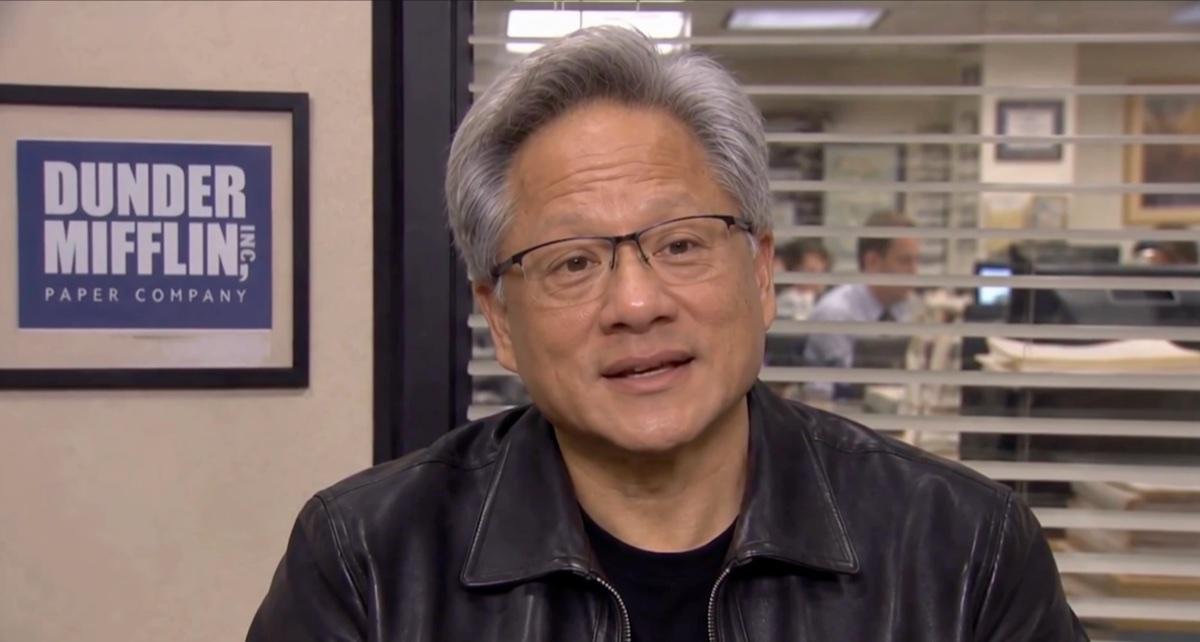
- Five talking heads carry 47% of the runtime. Five interviews, each with one seated person speaking to the camera, add up to 72 of the 154 seconds.
- Every joke lands in an interview or a reaction. The office scenes set up a situation in a few seconds, and then a character sits down and tells the camera what they think of it.
- The captions are burned in. Each spoken word turns yellow as it's said. Viewers who watch with the sound off still get every line.
- The ending is a callback for people who know the subject. Nvidia's own blog says Huang got his first job at a Denny's at 15, and that Nvidia's founders came up with the company at a Denny's in Silicon Valley. The final shot rewards viewers who know that.
What the AI got right
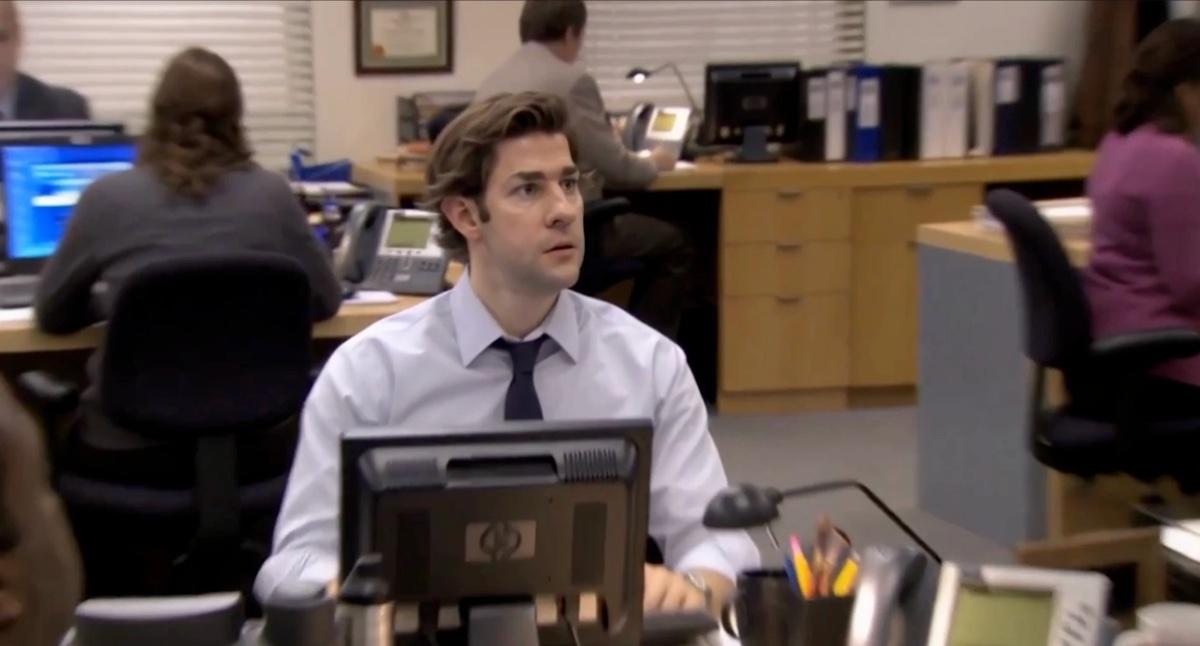
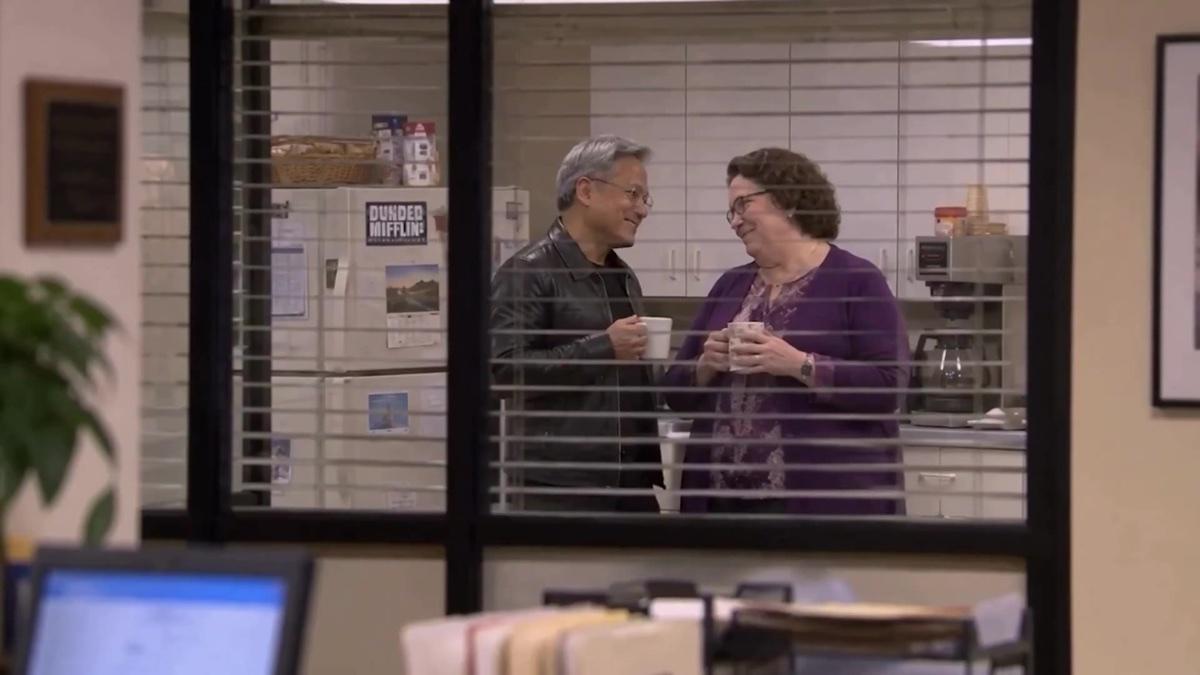
- The rooms. The manager's office, the reception desk, the kitchen and the conference room all look like the show, down to the mug and the trophy on the desk.
- The lip sync in close-up. The interviews hold up for 10 to 15 seconds at a time with speech that matches the mouths.
- The rhythm. A line, a pause, a look, a cut. The pauses are the part most AI comedy gets wrong, and this video leaves them in.
What still looks off
- Small text. The fridge magnet in the kitchen scene reads 'Dunded Mifflin.'
- The drive-thru. The maker agreed with a viewer that the last scene didn't come out right, and said he ran out of time.
- One join. The cut in the middle of the closing monologue shows as a small jump in the speaker's expression and hands.
- Brand marks the maker didn't need. The last scene shows a real restaurant chain's logo on the building, the window and the uniform, which adds a second company with a reason to object.
Why The Office works so well as an AI format
The Huang video is the latest in a run. We found five other AI Office parodies from 2026 with between 2.4 million and 16 million views each on X. An agency's 42-second clip called 'Claude's first day at Dunder Mifflin' reached 13.5 million in May, and a clip about the US midterm elections reached 16 million six days before this one. Five reasons explain the pattern. Four of them have evidence behind them, and we've labeled the one that's our own inference.
1. The audience already knows everyone
A two-minute sketch has no time to introduce characters. The Office solves that for the maker. Nielsen counted more than 57 billion minutes of the show streamed in the US in 2020, which made it the most-watched series on streaming that year. The show's GIPHY channel showed 119.7 billion views when we checked, and its YouTube channel showed 4.1 billion.
A viewer who has seen the boss's office and the reception desk a hundred times needs one second to place the scene. The joke can start in the first line, and in this video it does.
2. The AI already knows everyone too
Video models produce a familiar subject far more reliably than an unfamiliar one. The writer Oliver Emberton made a 2.5-minute AI video in 2025 from 160 generated clips, and wrote that a subject the AI already knows how to draw comes out consistent every time 'for free.'
The Office is that kind of subject. In August, Deadline reported that an investor had generated a clip of two of the show's characters with a simple text prompt to MiniMax H3, with no reference images at all. The model had evidently seen enough of the show to reproduce it. That same fact is the heart of the studios' lawsuit, which we cover below.
3. The format is half interviews, and interviews are easy
A person sitting still and talking to a camera is the shot current video models handle best. The frame doesn't move, one face fills it, and the lip sync only has to hold for a few seconds. In this video those shots make up 47% of the runtime.
The show's crew built the interview that way for their own reasons. Camera operator Matt Sohn has said that the talking heads were shot with the camera on a tripod, while the office scenes were shot from his shoulder. Cast member Angela Kinsey has said the interviews were always filmed in the conference room. A fixed camera in one room is also the easiest thing to ask an AI model for.
4. The camera style expects imperfection
This reason is our inference. No source we found says that the mockumentary look suits AI video. What the show's makers have said about the style still points that way, because they designed the camera to look like it was struggling to keep up.
- The operators came from reality television. Showrunner Greg Daniels has said that his camera operators came from reality shows such as Survivor.
- The fast zooms were left in on purpose. Director Ken Kwapis has described an argument on the pilot about the 'whip zoom,' a very fast push from a medium shot to a close-up. A documentary editor would normally cut the zoom out. The show kept it in, as a sign that a documentary crew was present.
- The crew called one shot the 'spy shot.' Jenna Fischer has explained that it's the shot filmed through the blinds. Daniels has said the set's blinds were spaced two inches apart so that faces stayed visible through them.
- The camera arrived late on purpose. The show's cast has said that the camera would reach a character partway through a line, and that some of the comedy came from getting there late.
- The look to the camera has rules. Daniels told NPR's Fresh Air in 2006 that the look means 'Does anyone else see how crazy this is?' and that it only works for a fairly reasonable character.
Each of those habits covers for something AI video does badly. A shaky frame hides small errors in motion. A shot through blinds hides half the faces in it. A fast zoom gives the editor a natural place to join two clips. Short shots end before a generated face has time to change.
One caution applies. Ars Technica noted in 2025 that AI video tended to look too smooth and too brightly lit next to real handheld footage. The handheld look has to be asked for in the prompt, and the steps below cover how.
5. The look to the camera replaces the laugh track
The show has no laugh track and no background score. The media scholar Michael Z. Newman argues that a character's look to the camera does the same job as a studio audience's laughter, because it tells the viewer how to react. A University of Colorado article puts the number of times Jim looks at the camera across the show's nine seasons at 650.
That matters for short video. A reaction shot is two seconds long, needs no dialogue and works with the sound off. A maker can end any scene on one.
The template takes any news story
Put the five reasons together and the format becomes a template: a newcomer arrives at the office, the staff react, and the boss explains it badly to the camera. The newcomer can be an AI model, a robot, an election result or an executive in the news. The maker only has to write the middle, and the speed of the tools lets the video arrive while the story is still fresh. This one took about two hours and was posted within two and a half hours of the SEC filing.
The question nobody in the replies asked
The video puts a real executive's face and voice into a storyline he had no part in, next to the faces and voices of actors who never performed these lines, on sets that copy a show from NBCUniversal. In the sample of quote posts we read, almost nobody raised it. A company that wanted to make something similar would have to raise it on day one, so here is what we could verify.
The studio is already suing the company that made the model
NBCUniversal's film and television studio is a plaintiff in two copyright lawsuits against AI companies, and one of them targets MiniMax, the maker of the model this video was generated with.
- Disney and Universal v. MiniMax. The studios say MiniMax's Hailuo service was trained on their films and reproduces their characters. A federal court in California denied MiniMax's motion to dismiss on May 22, 2026, according to a summary by the law firm Loeb & Loeb. The court found that the studios had plausibly alleged infringement both in training and in what the service generates.
- Disney and Universal v. Midjourney. The studios filed this case in June 2025. The court docket shows the two sides still arguing over evidence in November 2026, and the court hasn't ruled on the central copyright question.
Neither lawsuit names The Office, and neither is aimed at people who make videos. We found no takedown, complaint or legal action from NBCUniversal, the show's cast or the actors' union against any AI Office parody. The clips we checked from May and November were all still online on November 14.
US law on AI likenesses is unfinished
- No federal likeness law exists yet. The NO FAKES Act would give every person a right over digital copies of their face and voice. The Senate Judiciary Committee approved it on June 18, 2026, and the Senate's record shows no floor vote since.
- The bill exempts parody. The committee's text excludes digital replicas used in 'bona fide commentary, criticism, scholarship, satire, or parody.'
- State laws vary. Tennessee's ELVIS Act protects a person's voice as well as their image, and it also carves out comment, satire and parody. California's and New York's recent laws mostly govern contracts with performers and replicas of performers who have died.
- The federal law that did pass covers something else. The TAKE IT DOWN Act of 2025 covers intimate images, and a workplace comedy sketch falls outside it.
- The actors' union has objected to this kind of tool. SAG-AFTRA condemned a rival video model in February 2026 for using its members' voices and likenesses without permission.
Calling a video a parody doesn't settle it
Moss labels his work clearly. The post's caption calls the video AI comedy, the title begins 'The Office AI,' and his studio's site says the series is 'not affiliated with, or endorsed by, The Office, NBC or anyone who made it.' Those labels help with X's rules. X's authenticity policy bans synthetic media that's shared as authentic and could cause confusion or harm, and it allows the same media when it's shared in a way that doesn't deceive.
Copyright law asks a different question. In its 1994 decision in Campbell v. Acuff-Rose, the Supreme Court gave more room to a parody that comments on the work it copies than to a work that borrows something famous to joke about a different subject. This video borrows The Office to joke about a tech executive. We aren't lawyers, and that reading is ours. It's the reason a parody label is a weaker defense here than most viewers assume.
The label also doesn't travel. The video file carries no on-screen AI notice in any frame we sampled, so the only disclosure is the caption. A viewer told Moss that other accounts were reposting the video with no credit, and he replied that he'd heard the same. Every one of those copies is a realistic video of a real person with nothing attached that says it was generated.
Hany Farid, a Berkeley professor who studies manipulated media, made a related point to Newsweek, which covered the wave of Huang videos on November 14. He said clearly satirical videos still carry a risk, because a person surrounded by fake footage becomes harder to believe when real footage appears.
If a brand asked us whether to make one
We'd say no to this exact video and yes to the format. A hobbyist's joke and a company's marketing are treated differently. The parody carve-outs in likeness laws are written for commentary, and an advertisement that uses a real executive's face to sell something is much closer to what those laws target. The four parties in the diagram above would each have a stronger complaint against a company than against a fan.
The format itself is free to use. Nobody owns a handheld camera, a zoom or an interview chair. The next section builds the same kind of video with nothing borrowed.
How to make a mockumentary-style AI video, step by step
The steps below combine three sources: what Moss confirmed in his replies, what the tool makers publish in their own guides, and our reconstruction from the finished video. We've written them for original characters, for the reasons in the rights section. We haven't generated a video with this method ourselves.
Step 1. Write short beats
- Open with the premise, said to the camera. The Huang video states its whole setup in the first 15 seconds of one interview.
- Keep every beat under 15 seconds. Several current models stop at 15 seconds per request. One beat should hold one joke.
- Alternate interviews and scenes. This video runs interview, scene, interview, scene for its whole length.
- Budget about 300 words of dialogue. We counted 298 spoken words in the video's 2 minutes 34 seconds. The pauses take up the rest.
- Write the pauses and the looks into the script. The show's cast has said its scripts spelled out the pauses and the glances to the camera.
- End on a tag. The last scene should be a short final joke somewhere outside the office.
Step 2. Build your reference files
- Make one clear image of each character. A front-facing portrait in the costume they'll wear works best. Our guide to building a recurring AI character covers this step in detail.
- Make two or three images of the workplace. A manager's office, an open floor of desks and a small meeting room are enough. Put your own company sign on the wall.
- Give each character a voice. Several current models accept a short voice sample as a reference, which keeps a character sounding the same across clips.
Step 3. Generate the interviews first
The interviews are the easiest shots and carry most of the jokes, so they're the right place to learn how your chosen model behaves. The tool makers' guides agree on how to write speech into a prompt.
- Put the line in quotation marks after 'says.' Google's Veo prompting guide gives this exact form.
- Describe the voice and rule out overlap. Kling's guide recommends giving each person a distinct voice and stating that nobody talks over anybody else.
- Ask for no music and no subtitles. The show has no score, and you'll add your own captions in the edit.
- Describe the camera in plain words. None of the vendor guides we read uses the terms 'talking head,' 'mockumentary' or 'snap zoom.' ByteDance's Seedance prompt guide advises pairing any specialist term with a plain description of what the camera does.
A talking-head prompt, written from the vendors' guidance
Image 1 is Dana, the office manager. Image 2 is the meeting room.

A documentary interview. Dana sits in a chair in the meeting room,
facing the camera, framed from the chest up. The camera is on a
tripod and does not move. Flat fluorescent office light. Window
blinds behind her, with the open office out of focus beyond them.

Dana says, in a dry, confident voice: "I've decided to make this
an AI-first company." She pauses, then glances to one side.

No music. No subtitles. Room tone only. 10 seconds.
Step 4. Generate the office scenes
- Ask for a handheld camera with small corrections. Kling's guide describes natural handheld work as slight irregular shake with 'framing corrections,' and that phrase is a good one to borrow.
- Let the camera arrive late. Describe the camera panning to a character a moment after they start speaking.
- Describe the zoom as an action. Write that the camera zooms in quickly from a medium shot to a close-up of a face and holds there.
- Shoot one scene through something. A shot through blinds or a half-open door reads as documentary straight away, and it hides detail the model might get wrong.
- Add silent reactions. Generate a few two-second shots of a coworker looking up from a desk, or looking at the camera. You'll use them to end scenes.
Step 5. Edit like the show
- Hide joins with a tighter framing. When a monologue needs two clips, cut from the first clip to a closer crop of the second. This video does that 7 seconds in, and it reads as a camera zoom.
- Cut to a reaction when a clip goes wrong. A reaction shot covers a bad ending on the clip before it.
- Leave the pauses in. Trim the start of each clip and keep the silence at the end of it.
- Burn in captions. Many viewers watch without sound.
- Put an AI label on the picture. A caption disappears when someone reposts the file. A small label in the corner of the frame stays with it.
Which tools fit
| Tool | Longest clip | Speech with lip sync | Reference files | What we could verify about real people |
|---|---|---|---|---|
| MiniMax H3, on a host such as fal.ai | 15 seconds | Yes | 9 images, 3 videos, 3 audio clips | The model Moss used. Deadline reports MiniMax doesn't offer it directly in the US or EU. |
| Kling 4.0 | 30 seconds | Yes | 15 assets, including images, videos and voice styles | Kling's terms make the user responsible for holding the rights to what they upload. |
| Seedance 2.5 | 30 seconds | Yes | Up to 50 | ByteDance says it restricts generation from images or videos that contain real faces. |
| Gemini Omni 1.2 Flash | 15 seconds, extendable to 30 | Yes | 6 images | Google's docs say images of certain recognizable people aren't supported. A developer reported a block on 'real people's names or likenesses.' |
| Grok Imagine Video 1.5 | 15 seconds | Yes | 14 images, 3 voices | We couldn't reach xAI's policy page. |
Two absences are worth knowing about. OpenAI shut Sora down earlier this year. Google's Veo 3.1 tops our AI video ranking for picture quality, and its clips stop at 8 seconds, which is short for a monologue. If you want a second format to practice the same skills on, our camcorder vlog guide uses the same idea of a deliberately imperfect camera.
Our read
The Huang video is a good piece of comedy writing delivered with tools that cost tens of dollars. The writing is the reason it worked. The premise arrives in the first sentence, every scene ends on a reaction, and the last shot rewards people who know the subject's history. A model can generate the rooms and the faces, and somebody still had to know where the jokes go.
The format will keep producing hits, because it solves the three hardest problems in short AI video at once. The audience needs no introduction, the model needs no training, and the camera style forgives mistakes. We expect the same template to be applied to every large news story for as long as the tools allow it.
That last condition is the open question. The model behind this video belongs to a company that the show's owner is suing, at least one major tool already refuses real people's names, and a federal likeness bill is waiting for a Senate vote. A channel that depends on borrowed faces also depends on the patience of the people who own them. Nobody owns the camera style, the interview chair or the pause before the look, so those are the safest parts to learn.
Where these apps rank