
Guides
How to Turn a Claude Artifact Into a Mac or Windows App: Install as App, Step by Step, With the Permissions Explained
By the Top5Apps editorial team · Published November 25, 2026 · Updated November 25, 2026 · 7 min read
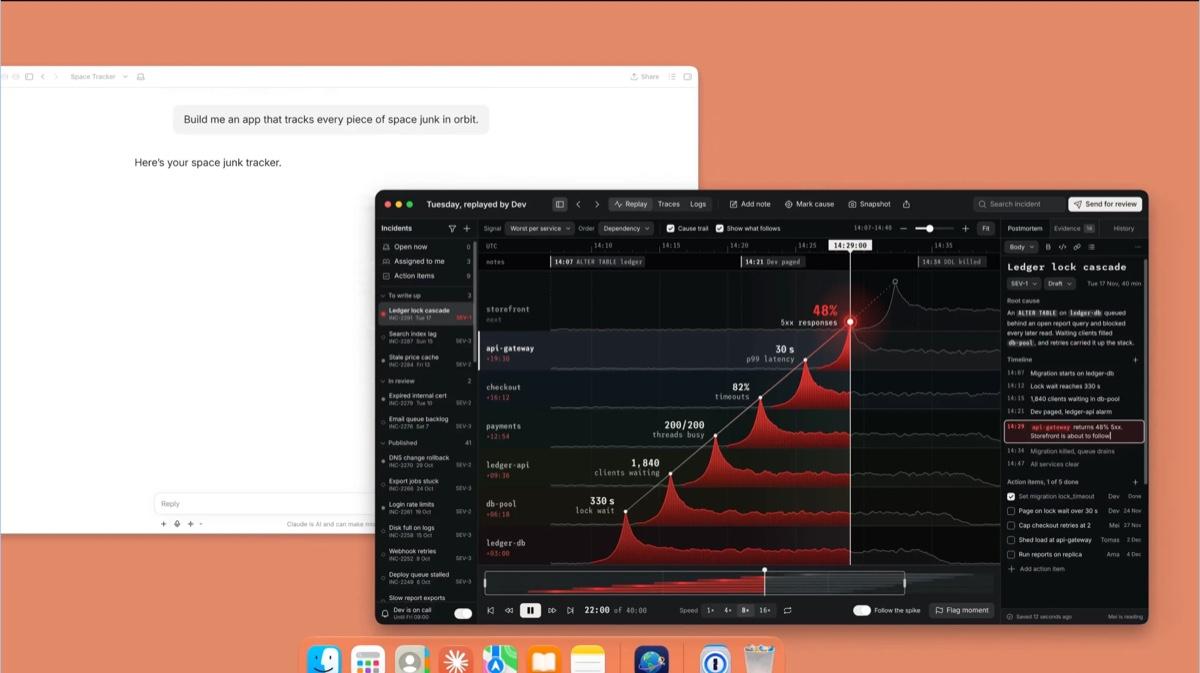
On November 24, 2026, Anthropic announced that the small tools Claude builds can now be installed as apps on a Mac or a Windows PC. Claude calls those tools artifacts. An installed artifact gets its own icon and its own window, and you open it like any other program.
(Disclosure, per The Receipts Standard: this site is produced with Claude-family tools, and this guide covers a Claude feature. The steps below come from Anthropic's own documentation, and we haven't installed an app ourselves yet.)
To do it, update Claude Desktop, ask Claude to build a tool, open the artifact's title menu and choose Install as app. The feature is in beta on every plan, including the free one. You don't need to write code, sign anything or set up an API key.
The demo makes it look like one click. The part worth reading before you try it is the permissions, because an installed app can ask for much more access to your computer than an artifact in a chat can.
What do you need before you start?
| Requirement | Detail |
|---|---|
| The desktop app | Claude for Mac or Claude for Windows, version 6.28899.0 or later |
| A plan | Any plan: Free, Pro, Max, Ultra, Team or Enterprise |
| An internet connection | You must be online and signed in to Claude Desktop to open an installed app |
| On a Team plan | The feature is on by default, and full computer access is off until an admin enables it |
| On an Enterprise plan | The whole feature is off until an owner turns it on in Organization settings, under Artifacts |
The feature is 'rolling out,' in Anthropic's words, so the button may take time to reach your account even on the right version. It isn't available on Linux, in the web app or on phones.
How do you install an artifact as an app, step by step?
Step 1: Update Claude Desktop
On a Mac, open the Claude menu and choose Check for Updates. On Windows, open the menu button with three lines, then choose Help and Check for Updates. You need version 6.28899.0 or later.
Step 2: Ask Claude to build the tool
Describe the app you want in a normal chat. Anthropic's Help Center gives three example requests:
- 'Make a Pomodoro timer that lives in my menu bar.'
- 'Make a small Mac app that reminds me to stretch every hour.'
- 'Make a Windows app that renames the photos in a folder by date.'
Claude builds the tool as an artifact, and you can try it inside the chat first. Fix anything you don't like at this stage. Once you've allowed a permission, every later edit makes Claude ask for it again.
Step 3: Open the title menu and choose Install as app
Open the artifact in the main Claude Desktop window. Click the artifact's name above it, or right-click the artifact. The menu lists Install as app, with a Beta label beside it. The same option also appears under Share.
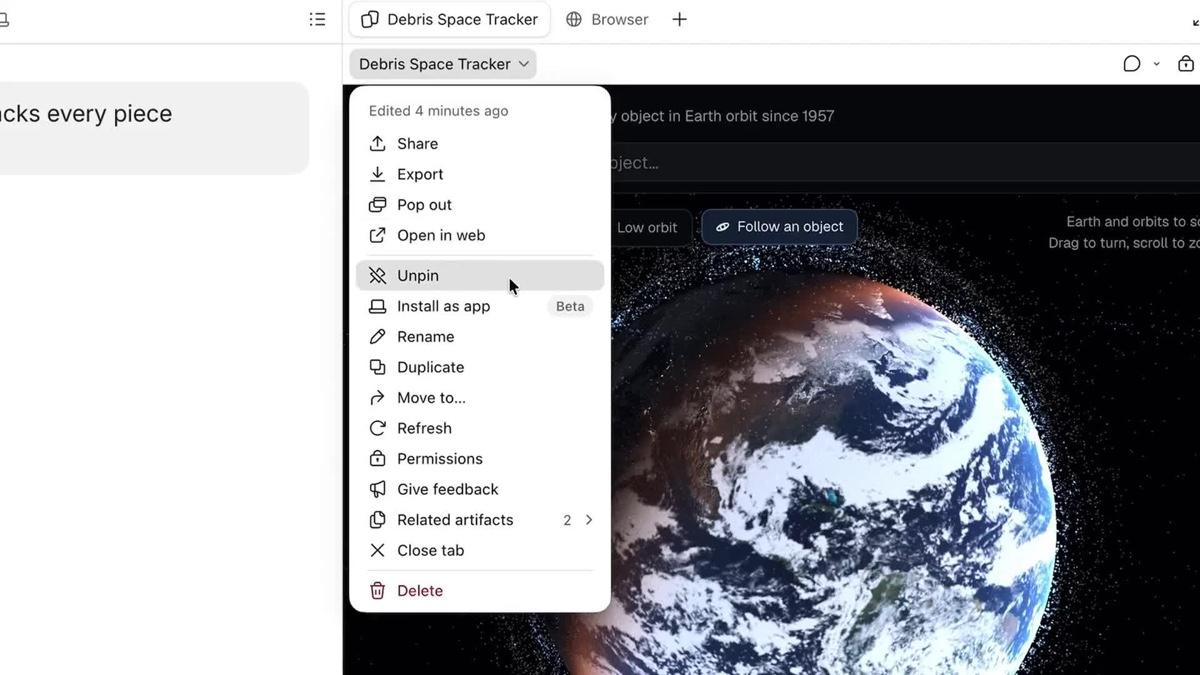
Step 4: Confirm the install
Claude shows a confirmation box and you click Install. In Anthropic's video the box says the artifact 'will be installed as a standalone program and get its own windows and icons,' and adds: 'It can't reach your files or run programs unless you allow it.'
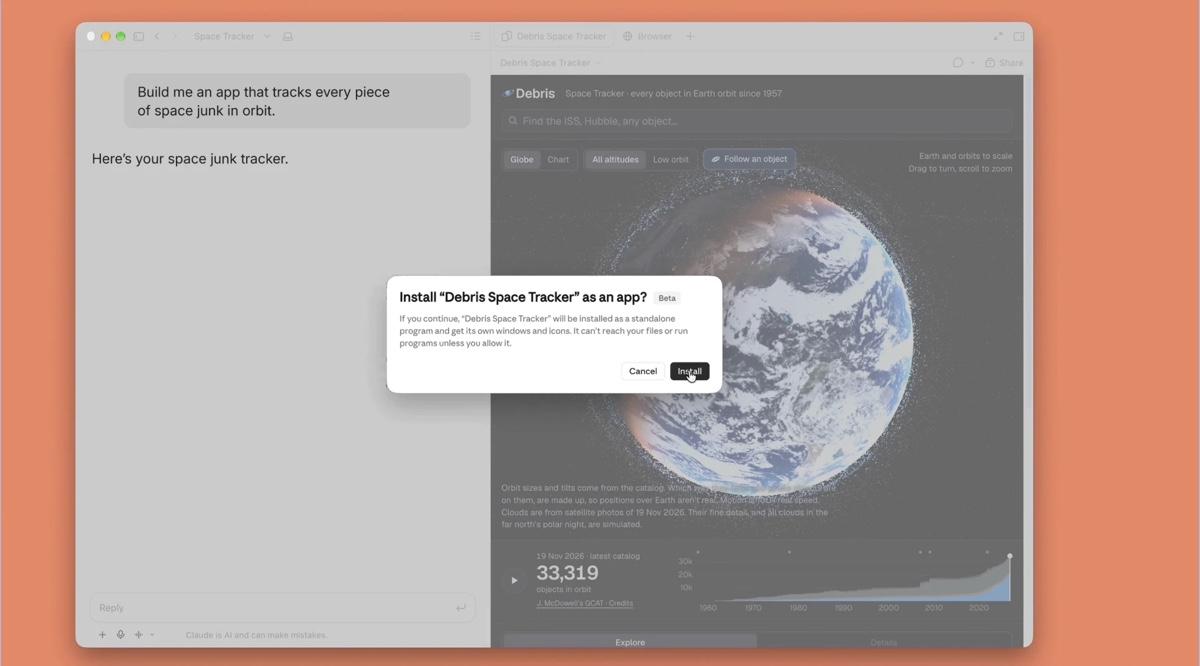
Step 5: Open the app
- On a Mac, the app is in a folder called Claude Apps, inside the Applications folder in your home folder. You can also find it with Spotlight. To keep it in the Dock, right-click its icon and choose Options, then Keep in Dock.
- On Windows, the app is in the Start menu under Claude Apps, and a shortcut appears on your desktop.
- From Claude Desktop, choose File, then Apps, select the app and click Open.
Step 6: Answer the permission requests
A new app starts with the same abilities it had as an artifact. If it wants more, such as sending a notification, it has to ask, and you answer Allow or Don't allow. The next section explains each request.
What can an installed app do on your computer?
Anthropic's announcement describes three levels of access.
| Permission | What it allows |
|---|---|
| Notifications | Show notifications while you use other apps |
| Keyboard shortcuts | Respond to key combinations while you use other apps |
| Float over other windows | Draw content above other windows, and read where the mouse cursor is on your screens |
| Menu bar item on a Mac, or system tray icon on Windows | Show an item there while the app is open |
| Full access to this computer | Run programs and read, change or delete your files without asking each time. It also covers the permissions above |
Four rules in the fine print matter more than the demo.
- Claude asks again after every edit. An Allow covers one version of the app. The Help Center says: 'After any update, including your own edits, Claude asks again.' A Don't allow stays until you change it.
- Anthropic doesn't check the apps. The Help Center states: 'Anthropic doesn't review apps before you install them.'
- Full access is limited to apps you made. On Free, Pro, Max and Ultra plans, only your own apps can request it. On Team and Enterprise plans, apps made by people in your organization can too.
- Code loaded from another website can change quietly. If an app pulls in code from another site, 'that code can change without a new request.'
Anthropic's own warning about the top level is blunt: 'An app with full access can run any program and read, change, or delete your files. Only allow it if you trust everyone who wrote the app.'
What doesn't it do yet?
- It doesn't work offline. You need to be online and signed in to Claude Desktop to open an app.
- It doesn't run on Linux, the web or phones. The beta covers Mac and Windows only.
- Some artifacts can't be installed. That includes artifacts made from a template, such as Docs, Slides and Sheets, plus legacy artifacts and live artifacts from Claude Cowork.
- Some organizations are excluded. The feature isn't available to organizations with HIPAA-ready configurations, and full access isn't available in Claude for Teachers or to K-12 organizations.
- It uses your Claude allowance. Anthropic says that building the app and any calls it makes to Claude count toward your usage limits.
- A browser shortcut is a different thing. The Help Center notes that Add to Dock and Add to Home Screen in a browser only add a shortcut, without the desktop features.
An app with a menu bar item or a tray icon keeps running after you close its window. On a Mac, quit it from the Dock or press Command and Q. On Windows, choose Exit in the tray icon's menu.
How do you change a permission or uninstall an app?
To change a permission on a Mac, open the app, click its name in the menu bar and choose Permissions. On Windows, right-click the app's title bar and choose Permissions. You can also go to File, then Apps, inside Claude Desktop.
To uninstall, go to File, then Apps in Claude Desktop, select the app and choose Uninstall. On a Mac the app moves to the Trash, and on Windows its shortcuts are removed. Uninstalling removes the permissions you gave. It leaves the artifact itself in place.
Turning off full access has one limit that the Help Center spells out: 'It doesn't undo changes the app already made.'
Should you give an app full access?
Our advice is to say no until an app can't do its job without it. A timer, a tracker or a dashboard works at the default level or with notifications alone. Full access is for tools that have to touch your files, such as the photo renamer in Anthropic's example.
- Start at the default level. See what the app asks for, and allow one permission at a time.
- Read the request each time it returns. A new request after an edit is the system working as designed. Check that the app is still asking for the same thing.
- Be careful with shared apps. If a request shows a warning that the app comes from outside your organization, treat it the way you would treat a program from a stranger.
- Keep important files backed up. An app with full access can delete files, and turning access off later won't bring them back.
The app this runs in
Read our Claude review first
- 01
 Claude4.8
#3 in AI Chatbots
Install as app works on every Claude plan, and the apps you build draw on the same usage limits as your chats. Our review covers what each plan includes and where the limits bite.
Our review notes that the free plan's daily limit arrives fast, and a busy installed app will use it up sooner.
Read our Claude review →
What can you build with it?
Anthropic says people on its staff have built five demo apps this way: a layered image editor called Linnet, a file manager called Phosphor, a folder organizer called Sift, a terminal with Claude built in called Tern, and a menu bar tool called Vitals that shows how your computer is performing.
The announcement also describes everyday uses, such as 'a meeting prep page that regularly pulls from their calendar and email, or a tracker for the orders that need to ship that day.' Installed apps can use your Claude connectors, so a tool can read from the services you've already linked.
A sensible first project is small and personal: a timer, a checklist for a weekly task, or a dashboard for numbers you check every morning. The Verge compares the result to browser-based web apps, which is a fair way to set expectations.
What we still don't know
- We haven't installed an app ourselves yet. Every step above comes from Anthropic's documentation and video, and we'll add our own test.
- Anthropic hasn't said how fast the rollout is moving. The button may not appear for everyone on day one.
- Anthropic hasn't said whether pricing will change after the beta. For now, apps count against your normal usage limits.
- Nobody has shown how the permission checks hold up against a badly behaved app. Anthropic says it doesn't review apps before you install them.
The short answers
- How do you turn a Claude artifact into an app? Open the artifact in Claude Desktop, open its title menu, choose Install as app and click Install.
- Which plans have it? Every plan has it in beta. On Enterprise, an owner has to switch it on first.
- Which version do you need? You need Claude for Mac or Windows, version 6.28899.0 or later.
- Does it cost extra? Anthropic lists no extra price. Building and running apps counts toward your usage limits.
- Is it safe? At the default level an app can only do what it could in a browser. Full access lets it change or delete your files, so give that only to apps you built and trust.
We'll update this guide after we install an app of our own, and when Anthropic changes the limits or widens the rollout.
Where these apps rank